“Our Google Workspace domain was stolen” usually means something more specific: the company can no longer sign in to its email, and the person who controlled it is gone, hostile or unreachable. In most of these cases the domain itself has not moved, because Google Workspace is not a registrar. The domain lives at a registrar, often Squarespace since the Google Domains transition, and Workspace merely verifies through DNS that you control it. A super-admin takeover, a departed administrator or a reseller-managed account can lock a business out of email while the registration sits untouched. This guide separates the three layers and gives the recovery path for each. It belongs to our domain hijacking hub.
The three layers: registrar account, DNS and Workspace admin
Every Workspace domain depends on three controls. The registrar account holds the registration; whoever controls it can transfer, renew or let the domain expire. The DNS zone, at the registrar or a separate DNS host, holds the MX records that route email to Google and the TXT or CNAME record that proved ownership at setup. The Workspace super-admin account controls users, mailboxes and data inside Google. Losing any one layer feels like losing the domain, but the remedy differs for each.
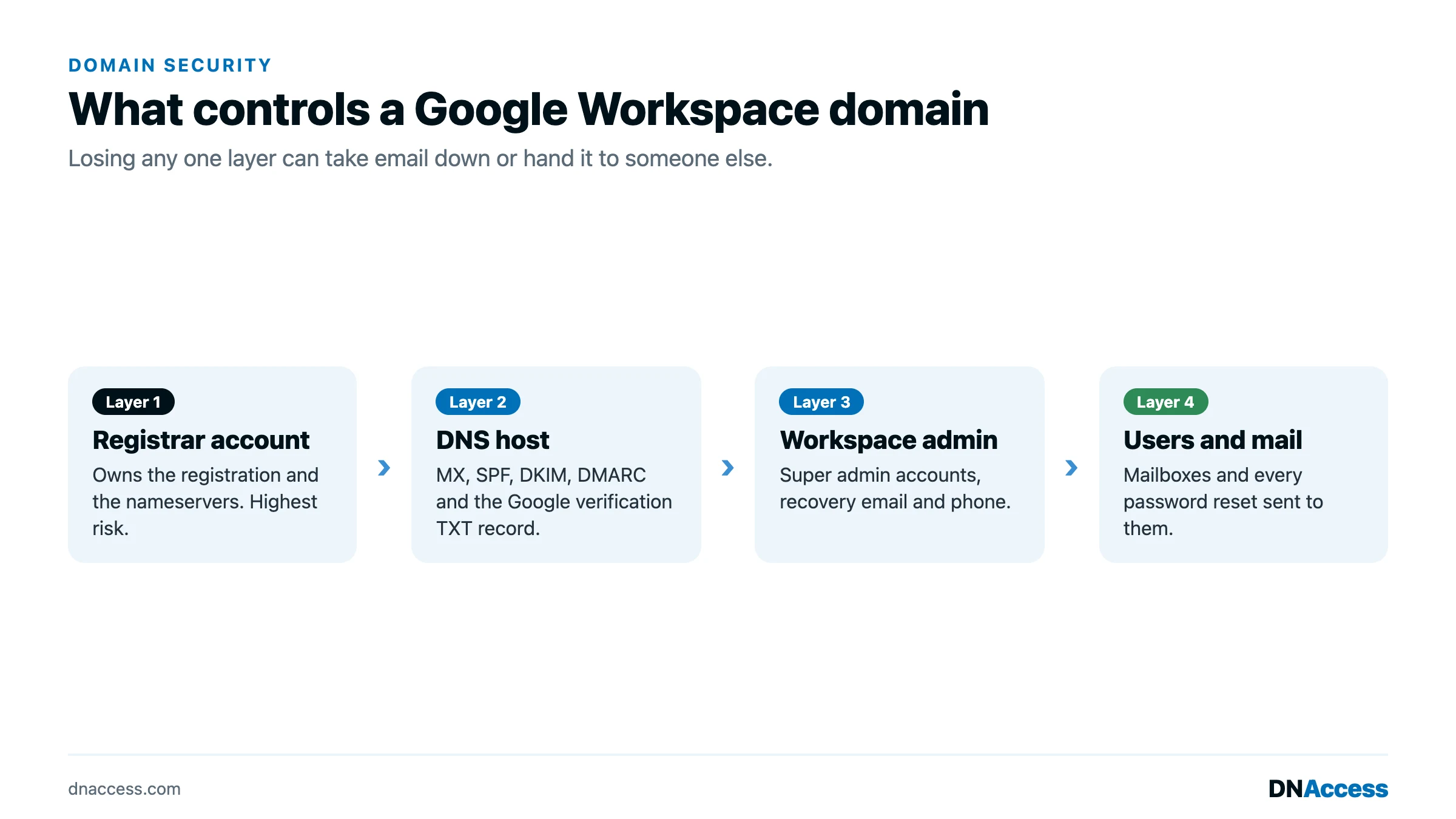
What people usually mean when they say the Workspace domain was stolen
A super-admin account was taken over
An attacker who phishes a super-admin’s credentials can reset other admins’ passwords, add forwarding rules and change recovery options. Email is compromised, but the registrar and DNS are typically untouched, and because Workspace trusts whoever proves control of DNS, the registrar account holder keeps the ultimate lever.
The only administrator left the company
Small organizations often have one super-admin, and when that person leaves, nobody else can manage the account. Nothing was stolen; the keys walked out the door. The same applies when a consultant set up Workspace under credentials the business never held.
A reseller or agency controls the account
Workspace sold through a reseller is administered partly by the reseller, and the registration may sit in the reseller’s registrar account too. When the relationship sours, billing and admin rights both belong to a third party. This is the Workspace version of the dispute in our post on recovering a domain held for ransom by a web developer.
The registration itself was hijacked or expired
Sometimes the domain has moved. Domain hijacking (the unauthorized transfer or control of a registered domain) through a compromised registrar account changes the registrar of record and the nameservers, and email stops because MX records no longer point to Google. Expiration looks the same. ICANN’s Expired Registration Recovery Policy requires registrars to send two expiration notices, about one month and one week before expiration, plus a further notice within five days after, and gTLD registries must offer a 30-day Redemption Grace Period after deletion, according to the ICANN ERRP redline of February 2024. If those notices went to a mailbox on the expiring domain, nobody saw them. Our pages on what domain hijacking is and expired domain name recovery cover those two outcomes.
How to tell which layer failed
Run an RDAP lookup (RDAP, the Registration Data Access Protocol, is the structured successor to WHOIS). If the registrar is the one you expect, the creation date is yours, and the status shows clientTransferProhibited, the registration is intact; the problem is at the DNS or Workspace layer. If the registrar has changed and the updated date is recent, the domain has been transferred out; redemptionPeriod or pendingDelete means it expired. Next, query the MX records. If they still point to Google’s mail servers, DNS is intact and the failure is inside Workspace. If they point elsewhere, someone with registrar or DNS-host access changed them.
Recovery at each layer
For a lost super-admin, Google provides a domain-ownership verification route: in general terms, someone who proves control of the domain by publishing a DNS record Google specifies can regain super-admin access through Google’s recovery process. If a reseller holds the account, ask in writing for administration to be transferred; if they refuse, DNS-based verification is the path around them. Once back in, remove unknown admins, review forwarding rules, and enforce two-step verification for every admin.
For a compromised registrar account, use the registrar’s account recovery process, which verifies identity before restoring access, then correct nameservers and MX records. If the registration was transferred away, report it through the registrar’s support and abuse channels and request a reversal; that registrar is the losing registrar and can contact the gaining one. For expiration, renew if still possible or ask the registrar to restore the domain during the grace period.
For a domain or Workspace account held by a departed employee or consultant, the registrar and Google act on documented proof of ownership, not on your word, so gather the evidence below first.
Escalating beyond the registrar
When the registration has been transferred away, ICANN’s Transfer Policy requires each registrar to staff a Transfer Emergency Action Contact (TEAC), and a human at the gaining registrar must respond within four hours, though final resolution may take longer, according to the ICANN Transfer Policy Review working group’s TEAC and TDRP slides. Only the losing registrar can open it. Registrars reverse a transfer between themselves with the Transfer Undo Request Form; our guide to the TURF agreement explains how. If the registrars disagree, the Transfer Dispute Resolution Policy (TDRP) lets one file against the other, but no later than twelve months after the alleged violation, per the ICANN TDRP text. Our step-by-step guide to recovering a stolen domain name covers the full sequence.
Evidence to preserve
Keep registration and Workspace billing receipts in the company’s name, the setup emails, and any record of the DNS verification code. Screenshot the RDAP and MX records now and again daily, and save login alerts and suspected phishing messages. For a departed-admin or reseller case, keep agreements and invoices showing the organization paid for both.
How DNAccess helps with a Workspace domain
DNAccess has recovered hundreds of stolen domain names, and Workspace cases begin with the layer diagnosis above, so a business locked out of email does not fight over a domain that never moved. For hijacks we handle registrar correspondence, TEAC and TURF requests and, where needed, litigation through our stolen domain name recovery service. Afterward we lock it down following our guides on registrar account security and how to prevent domain hijacking. Contact us for a confidential assessment.
We have written the same guide for GoDaddy, Namecheap, Squarespace and Cloudflare.