Domain status codes are short labels in a domain’s public registration record that tell you what the domain can and cannot do right now. A code such as clientTransferProhibited means the domain is locked against transfer; clientHold means it has been switched off; redemptionPeriod means it has expired and been deleted but can still be restored. Reading these codes correctly is one of the fastest ways to understand a domain problem, because the codes are set by the registrar and the registry themselves and reflect the actual state of the registration, not what an account dashboard or a support agent says.
This guide, part of our domain name basics series, explains where to find the codes, what the prefixes mean, and what each common code means for you.
What EPP status codes are
The codes come from EPP (the Extensible Provisioning Protocol, the standard system registrars use to communicate with registries). Every generic top-level domain registration carries one or more EPP status codes, and ICANN requires that they be displayed in the public registration record. A domain can carry several codes at once. A healthy, well-protected domain commonly shows three or four locks together, while a domain in trouble may show a hold alongside a lifecycle code.
Where to see a domain’s status codes
The public registration record is now served primarily through RDAP (the Registration Data Access Protocol, the structured successor to WHOIS, the older public registration record). ICANN’s documentation lists 28 January 2025 as the WHOIS Services Sunset Date for registrar obligations to provide registration data over the legacy WHOIS services, according to ICANN’s reminder on the effective date of the 2013 RAA Global Amendment. The simplest free tool is ICANN’s own registration data lookup. Enter a domain and the status codes appear near the top of the result.
RDAP often displays codes as plain words, such as “client transfer prohibited,” while older WHOIS output shows the compact form, clientTransferProhibited, sometimes followed by a link to an ICANN explanation. They mean the same thing.
Client versus server: registrar-set and registry-set codes
The prefix tells you who set the code. A code beginning with “client” was set by the registrar, the company that sells and manages the registration. The registrar can usually remove a client code at your request, often with a toggle in your account. A code beginning with “server” was set by the registry, the organization that operates the extension, such as .com or .org. Only the registry can remove a server code, and it does so only through its own procedures.
This distinction is the key to reading a record. A client lock protects you against routine mistakes and casual attacks, but anyone who gains access to your registrar account can turn it off. A server lock sits a level above the registrar account, which is why it is far harder to defeat.
Healthy and locked: the codes you want to see
The status ok means there are no pending operations and no prohibitions on the domain. It is a normal state, but it also means the domain has no transfer lock at all.
Most well-managed domains instead show some combination of clientTransferProhibited, clientUpdateProhibited and clientDeleteProhibited. clientTransferProhibited, the registrar lock, blocks any transfer to another registrar. clientUpdateProhibited blocks changes to the contacts and nameservers. clientDeleteProhibited blocks deletion. Together they are the ordinary baseline of protection, and you should expect clientTransferProhibited on any domain you care about.
The server versions, serverTransferProhibited, serverUpdateProhibited and serverDeleteProhibited, are the visible signs of a registry lock (a registry-level hold that blocks changes until the registrar verifies the request out of band, usually by phone with named contacts). Adoption remains limited even among large companies: CSC found that 24% of Forbes Global 2000 companies use registry lock, up from 17% in 2020, according to the CSC 2024 Domain Security Report. Server prohibitions can also be applied by a registry during a dispute or a legal process, so a sudden server code you did not request deserves a question to your registrar.
Suspended: clientHold and serverHold
A hold code means the domain has been removed from the DNS (the Domain Name System, which translates names into server addresses). The registration still exists, but the domain does not resolve, so the website goes dark and email stops arriving.
clientHold is set by the registrar. The common causes are an expired registration, an unpaid balance, a failed verification of the registrant’s contact details, or an abuse complaint the registrar has acted on. The fix runs through the registrar: renew, pay, complete the verification email, or answer the complaint. serverHold is set by the registry, usually for a policy reason, an abuse finding or a legal order, and resolving it typically requires working through the registrar to reach the registry.
Lifecycle codes: from registration to deletion
Several codes mark where a domain sits in its life. addPeriod appears during the five days after a new registration. renewPeriod appears for a short grace period after an explicit renewal. autoRenewPeriod appears after expiration, when the registry has automatically extended the registration and the registrar is deciding whether to collect the renewal fee or delete the name; during this window the original owner can usually renew. Under ICANN’s Expired Registration Recovery Policy, DNS resolution must be interrupted for at least the last eight consecutive days that an expired registration remains renewable, according to the ICANN Expired Registration Recovery Policy redline of 21 February 2024, which is why autoRenewPeriod so often appears alongside clientHold.
redemptionPeriod means the registrar has deleted the domain and it is in the 30-day Redemption Grace Period, during which only the original registrar can restore it for a fee. pendingRestore means a restore has been requested and is being completed. pendingDelete means the redemption window has passed and the domain will be released in about five days; nothing can stop it at this point. Our domain expiration lifecycle guide walks through each of these stages and its options.
Transfer codes: pendingTransfer and transferPeriod
pendingTransfer means a request to move the domain to another registrar is in progress. Under ICANN transfer rules, the current registrar has a five-day window to act on the request, and the owner can usually reject it through that registrar. If you did not start a transfer, pendingTransfer is an emergency. transferPeriod appears for five days after a completed transfer. Our guide to how domain transfers work explains the full process, including the 60-day lock that follows most transfers.
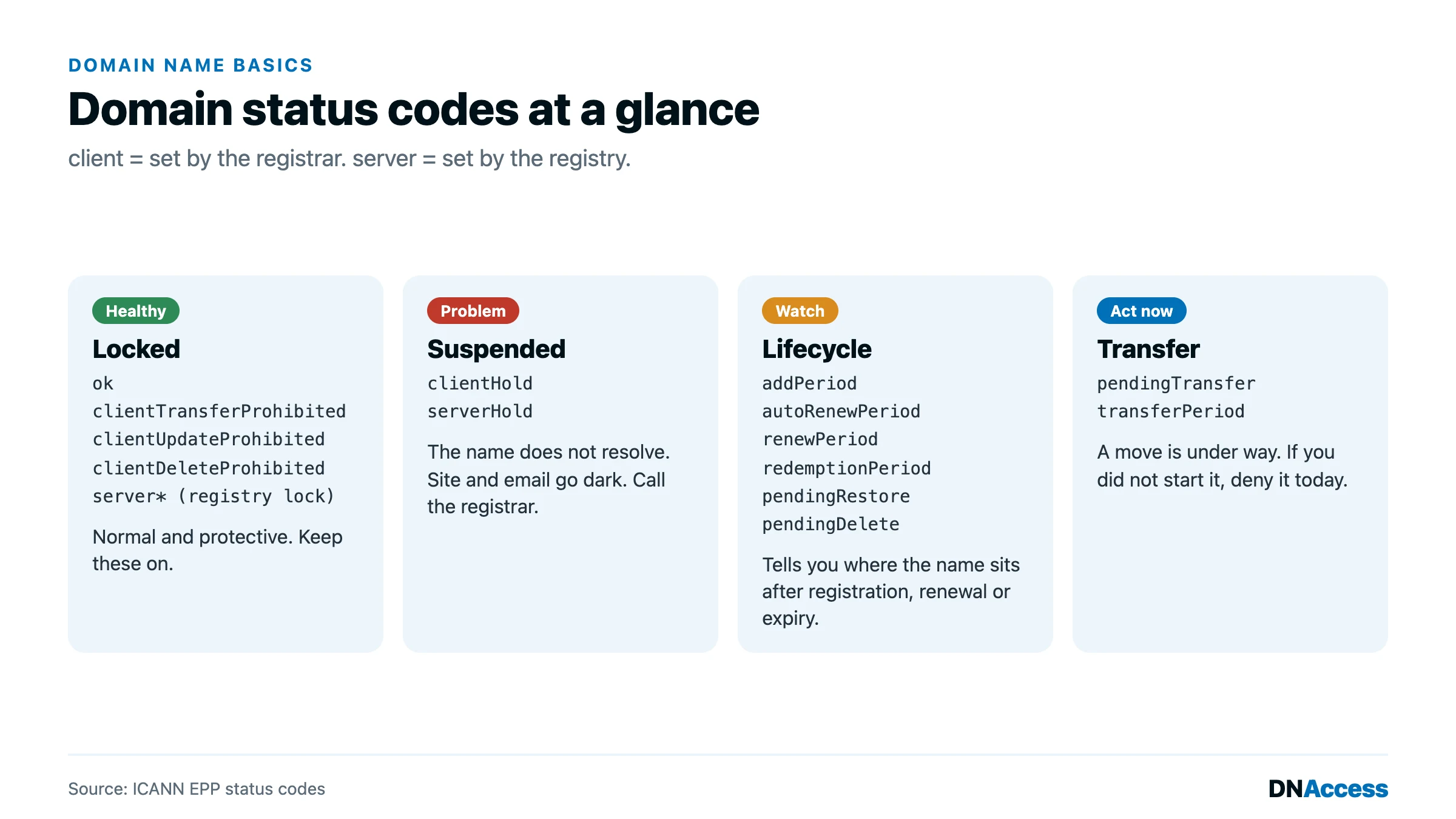
Domain status codes at a glance
| Code | Set by | What it means | What to do |
|---|---|---|---|
| ok | Registry | No pending operations and no prohibitions | Ask your registrar to enable a transfer lock |
| clientTransferProhibited | Registrar | Transfers to another registrar are blocked | Nothing; this is normal. Remove it only when you start a transfer yourself |
| clientUpdateProhibited | Registrar | Contact and nameserver changes are blocked | Nothing; unlock briefly in your account when you need to make a change |
| clientDeleteProhibited | Registrar | Deletion is blocked | Nothing; this is normal protection |
| serverTransferProhibited, serverUpdateProhibited, serverDeleteProhibited | Registry | Registry lock, or a registry action during a dispute or legal process | If you requested registry lock, nothing; if not, ask your registrar why |
| clientHold | Registrar | Domain removed from DNS; website and email stop working | Check for expiration, unpaid balance, verification email or abuse notice |
| serverHold | Registry | Domain removed from DNS by the registry | Contact your registrar and ask for the registry’s reason |
| addPeriod | Registry | Newly registered, within the first five days | Nothing |
| autoRenewPeriod | Registry | Expired and in the renewal grace period | Renew immediately at the current registrar |
| renewPeriod | Registry | Recently renewed, within the grace period | Nothing |
| redemptionPeriod | Registry | Deleted; restorable for 30 days | Request a restore from the original registrar now |
| pendingRestore | Registry | A restore is being completed | Confirm with the registrar that it finishes |
| pendingDelete | Registry | Will be released in about five days | Seek professional help; backorders are the only remaining option |
| pendingTransfer | Registry | A registrar transfer is in progress | If you did not request it, reject it and contact your registrar today |
| transferPeriod | Registry | Transferred within the last five days | If you did not request it, treat it as theft |
Three status code mistakes we see in recoveries
In the cases we handle, status codes are often the earliest warning, and they are routinely ignored. The first mistake is leaving a valuable domain at ok, with no transfer lock at all, so that a compromised account can move it in days. The second is treating clientHold as a website hosting problem and spending days troubleshooting servers while the real cause, an expired registration or a missed verification email, sits in the registration record. The third is missing a pendingTransfer or a fresh transferPeriod: an unauthorized transfer caught during the five-day window is far easier to stop than one discovered weeks later.
How DNAccess uses status codes to protect and recover domains
Status codes are the first thing we read on any new matter, because they show exactly where a domain stands. DNShield domain name monitoring watches the status codes on your portfolio and alerts you the moment a lock disappears, a hold appears or a transfer begins. When a code shows that a domain has already been moved without authorization, our stolen domain name recovery service works through registrar, registry and legal channels to return it. If a code on one of your domains does not look right, contact us.